Article ID Code:GK-SYS-15
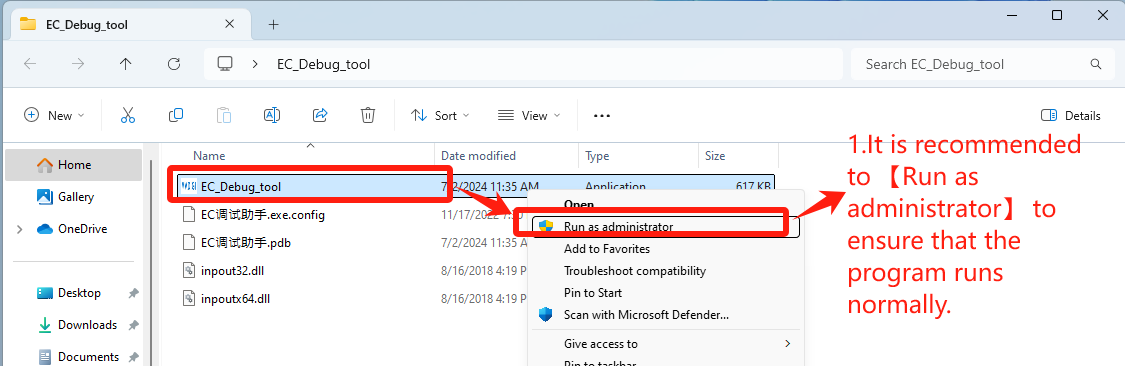
1. Double-click to open EC_Debug_tool
EC Tool Download: Click here
- It is recommended to 【Run as administrator】 to ensure that the program runs normally——Step1【Run as administrator】.
2. Set according to CPU brand
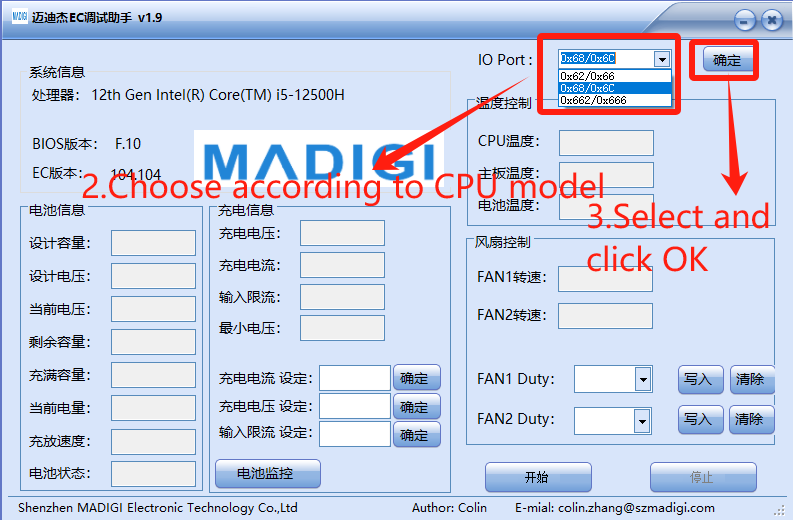
- Choose according to CPU model
- IO Port: Select 【0x62/0x66】for CPU Intel platform, click “OK”——Step3[【确定】
- IO Port: Select 【0x662/0x666】 for CPU AMD platform, click “OK”——Step3[【确定】
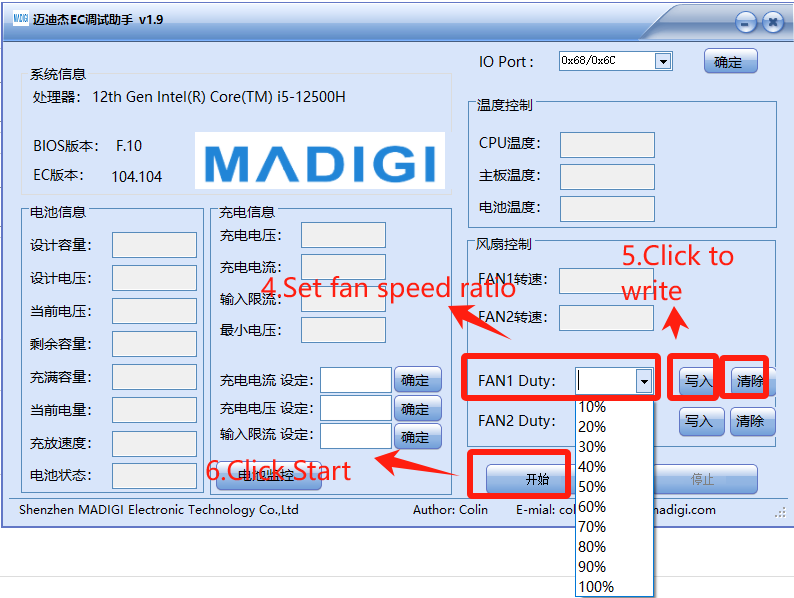
3. Set fan speed,just set in 【FAN1 Duty】
- Set fan speed ratio——Step4【FAN1 Duty】
- Click to write——Step5【写入】
- Click Start——Step6【开始】
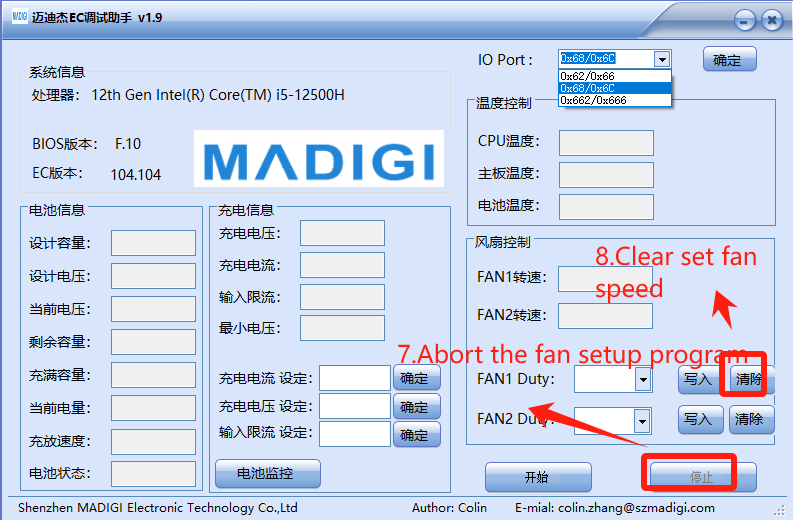
4. Clear settings and re-debug
- Abort the fan setup program——Step7【停止】
- Clear set fan speed——Step8【清除】
Thank you for watching. If there are any mistakes, your corrections are welcome.
Comments
0 comments
Article is closed for comments.